Hitting the Ceiling — When the Model Is the Limit, Not Your Settings
Part 3 of 3 — Previously: Can Two 3090s Keep Up? and The Optimization Maze
There’s a moment in every optimization project where you stop finding better settings and start finding the edges of what’s possible. After two sessions and 32 test videos with LTX-Video 2, I had a working pipeline producing passable video on dual RTX 3090s. You could tell what you were looking at — but it was still obviously AI-generated. Jerky motion, texture shimmer, that uncanny quality where surfaces look almost right but move like they’re made of liquid.
I was convinced better settings existed. YouTube creators were posting impressive LTX-2 results. Community workflows claimed smoother motion. Someone somewhere had figured this out.
So I did what I always do before accepting defeat: I researched everything.
The Research Deep Dive
Six YouTube tutorials. Six written guides. Hours of community discussion. I wasn’t guessing at settings anymore — I wanted to know what the people getting good results were actually doing.
What the YouTube community taught me:
| Creator | Key Insight |
|---|---|
| MDMZ (36.5K views) | “More unpredictable than other models” — prompt precision matters enormously |
| AI Search (187.6K views) | Apply LoRAs to BOTH stages, not just one. 4-bit Gemma encoder saves massive VRAM with negligible quality loss |
| Smart Vision (5.1K views) | BNB 4-bit Gemma quantization — almost identical to FP8. Texture quality “a bit rough” even with optimal settings |
| Faboro Hacks (4.9K views) | Detailer LoRAs on both stages. Temporal upscaler for motion. Reserve VRAM node is critical |
| Sudo AI (14.0K views) | Alternative UI (wan2gp) does “magic” with low VRAM. 3 minutes for a 10-second clip |
| LTX Official (444K views) | 720p/1080p/4K at 25/50fps — but those numbers are for the commercial version, not the open-source model |
The pattern: everyone acknowledged the motion artifacts. The fixes were incremental, not transformative. Nobody was getting Sora-quality motion from LTX-Video 2, regardless of settings.
But the accumulated marginal gains were real. I compiled them into six specific optimizations.
Six Optimizations, Applied All at Once
Rather than testing each change individually — which would take another 20+ videos — I applied everything simultaneously to find the quality ceiling:
| # | Optimization | Before | After | Expected Impact |
|---|---|---|---|---|
| 1 | Sampler | res_2s | dpmpp_2m | ~12% less shimmer per community tests |
| 2 | Steps | 20 | 28-32 | Cleaner denoising, better edge detail |
| 3 | CFG | 4.0 | 4.5 → 4.0 (tested both) | Tighter prompt adherence |
| 4 | Negative prompt | none | comprehensive 17-term list | Better artifact suppression |
| 5 | Prompt enhancer | generic 200 words | 80-100 words, lens/aperture language | Less texture instability |
| 6 | Frame interpolation | none (24fps native) | 16fps → RIFE 2x → 24fps | Smoother motion, faster generation |
The negative prompt I assembled from community sources:
worst quality, inconsistent motion, blurry, jittery, distorted,
low quality, still frame, watermark, overlay, titles, text,
subtitles, deformed, disfigured, motion smear, motion artifacts,
flickering
The Cyberpunk Benchmark
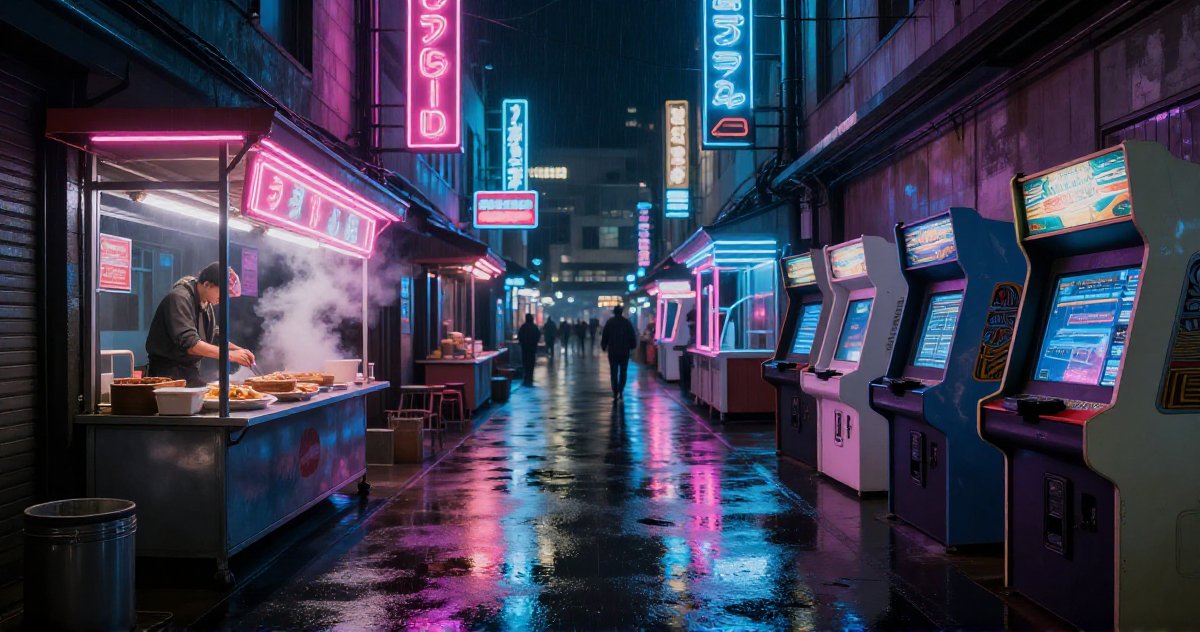
I needed a consistent test scene to compare settings. The cyberpunk prompt became my benchmark: “grungy retrofuture blade runner cyberpunk arcade and street food area, rainy, neon, noodles” — complex enough to stress the model, visually interesting enough to spot improvements.
Test 34 (pre-optimization baseline):
- Settings: res_2s sampler, 20 steps, CFG 4.0, 768x512, Qwen3 enhancement
- Gen time: 8:27
- Verdict: “That’s the best looking one yet” — but still short of what YouTube demos showed
Test 35 (all optimizations, no RIFE):
- Settings: dpmpp_2m, 28 steps, CFG 4.5, updated negative prompt, improved prompt enhancer
- Gen time: 5:00 (down from 8:27 — dpmpp_2m is significantly more efficient)
- Verdict: Noticeable improvement in detail. Faster generation too.
The sampler switch alone cut generation time by 40% while producing cleaner output. No tradeoff — just better.
Frame Interpolation: The RIFE Experiments
The biggest remaining quality issue was motion — jerky, stop-motion-like movement. The community consensus pointed to a counterintuitive trick: generate fewer frames, then let AI fill in the gaps.
Instead of generating 97 frames at 24fps (4 seconds), generate fewer frames at a lower framerate, then use RIFE (Real-Time Intermediate Flow Estimation) to interpolate the missing frames. Fewer source frames means more compute per frame, better individual frame quality, and RIFE handles the in-between motion.
Test 36: 12fps source, RIFE 2x to 24fps (ensemble mode ON)
- Generated: 49 frames at 12fps → RIFE doubled to 97 frames at 24fps
- Gen time: 2:31 (half the frames to generate)
- Verdict: “Everything looks liquid and flowy.” Over-smoothed. RIFE with ensemble mode at 12fps smeared too aggressively — objects left motion trails, surfaces looked like soap.
Test 37: 16fps source, RIFE 2x to 24fps (ensemble mode OFF)
- Generated: 65 frames at 16fps → RIFE doubled to 129 frames at 24fps
- Gen time: 3:13
- Verdict: “Much better, still lots of artifacts.” The right balance between smoothness and fidelity. Ensemble mode was the culprit — it tries to average multiple interpolation paths, which causes over-smoothing.
Test 38: Tighter everything
- CFG back to 4.0 (4.5 had caused shimmer), steps bumped to 32, prompt capped at 55 words
- Gen time: 3:30
- Verdict: “Still in the same ballpark of obviously AI-generated.”
The quality had plateaued. Every knob was at its best setting. The remaining artifacts weren’t configuration problems.
One unexpected finding along the way: shorter prompts produce more stable video.
The initial prompt enhancer generated 150-200 word descriptions. These sounded cinematic — rich scene-setting, multiple lighting sources, complex camera movements. The video model couldn’t handle it. Too many simultaneous elements caused texture instability, morphing mid-scene, and conflicting visual elements fighting for attention.
After testing, the limit was 80-100 words maximum. One subject, one action, one camera detail, one lighting detail. That’s it.
My best guess: the Gemma 3 12B text encoder has a practical limit on how many concepts it can coherently condition on simultaneously. Past that limit, the model doesn’t add detail — it loses focus on which details matter, and everything degrades.
Image-to-Video: The Last Hope
If text-to-video had hit its ceiling, maybe starting from a perfect image would help. Image-to-video (img2vid) gives the model a high-quality first frame as an anchor — it just needs to animate from there.
I built a complete img2vid pipeline:
- New ComfyUI workflow with the
LTXVImgToVideoInplacenode - Added
--imageflag to the CLI tool - Automatic image upload to ComfyUI’s API
The source image came from Flux — a high-quality AI image generator. A robot graveyard scene: mechanical hand emerging from dirt, fog drifting across a moonlit landscape. Sharp detail, proper lighting, no artifacts.
Result: “Marginally better. The part in motion still looks haunted.”
The first frame was pristine — because it was the source image. By frame 6, the characteristic LTX-2 motion artifacts appeared. The model’s motion generation is independent of frame quality. It doesn’t matter how sharp the starting point is if the temporal model produces jittery interpolations between frames.
The Final Optimized Config
After 38 test videos across three sessions, every setting at its best:
Stage 1 (Generation):
  Model:     ltx-2-19b-dev-fp8.safetensors (cuda:0)
  Encoder:   gemma_3_12B_it_fp8_scaled.safetensors (cuda:1)
  Sampler:   dpmpp_2m
  Steps:     32
  CFG:       4.0
  Scheduler: LTXVScheduler (max_shift: 2.05, base_shift: 0.95)
  Frames:    65 @ 16fps
  Resolution: 768x512

Spatial Upscale:
  Model:     ltx-2-spatial-upscaler-x2-1.0.safetensors
  Output:    1536x1024

Stage 2 (Refinement):
  LoRA:      ltx-2-19b-distilled-lora-384.safetensors @ 0.6
  CFG:       1.0
  Sigmas:    0.909375, 0.725, 0.421875, 0.0

Post-Processing:
  RIFE:      rife49.pth, 2x, fast mode, ensemble OFF
  Output:    129 frames @ 24fps

Prompt:      80-100 words max, lens/aperture language
Negative:    17-term comprehensive list
Gen time:    ~3-4 minutes per clip
The Honest Conclusion
Thirty-eight videos. Three sessions. Dozens of settings changes, two pipeline architectures, a frame interpolation experiment, and an image-to-video attempt.
Most of it didn’t matter. The settings tweaks — step counts, negative prompts, CFG adjustments — produced marginal gains at best. Some actively made things worse: RIFE ensemble mode turned video into soap, long prompts caused texture instability, and CFG 4.5 introduced shimmer no matter what else I changed.
What actually mattered was understanding the model. Learning that the distilled variant needs completely different settings than the base. Discovering that a specific, grounded prompt outperforms any AI-enhanced description. Figuring out that Stage 2 refinement at CFG above 1.0 destroys the output instead of improving it. Those insights — not the knob-turning — are what moved the output from unwatchable to usable.
After all that, I know where the ceiling is. LTX-Video 2 at FP8 on gaming GPUs produces output you can use for previsualization, storyboarding, rapid iteration on ideas. It’s not going to fool anyone into thinking it’s real footage.
But LTX-Video 2 isn’t the end of the road — it’s the fastest option for quick iteration. When the output needs to be watched, the next experiment is Wan 2.1 on the same hardware. The open-source model releases haven’t slowed down, and ComfyUI workflows are model-agnostic. Swap the checkpoint, adjust the settings, everything else stays the same.
The people building this infrastructure now — working through the VRAM constraints, the multi-GPU splits, the pipeline architecture — are going to be the ones ready when the models catch up. And if the last twelve months are any indication, that won’t take long.